
Alipay Setup Guide for Foreigners
Complete step-by-step guide to set up and use Alipay in China
⚠️ Important Fee Note
Single transactions over ¥200 (about $28 USD) incur a 3% processing fee. For large purchases, consider splitting into multiple sub-¥200 payments to avoid the fee.
Video Tutorial
Can't load? Open directly on YouTube (VPN required in China)
Download the Alipay App
Get it from App Store or Google Play — look for the blue icon by Ant Group.
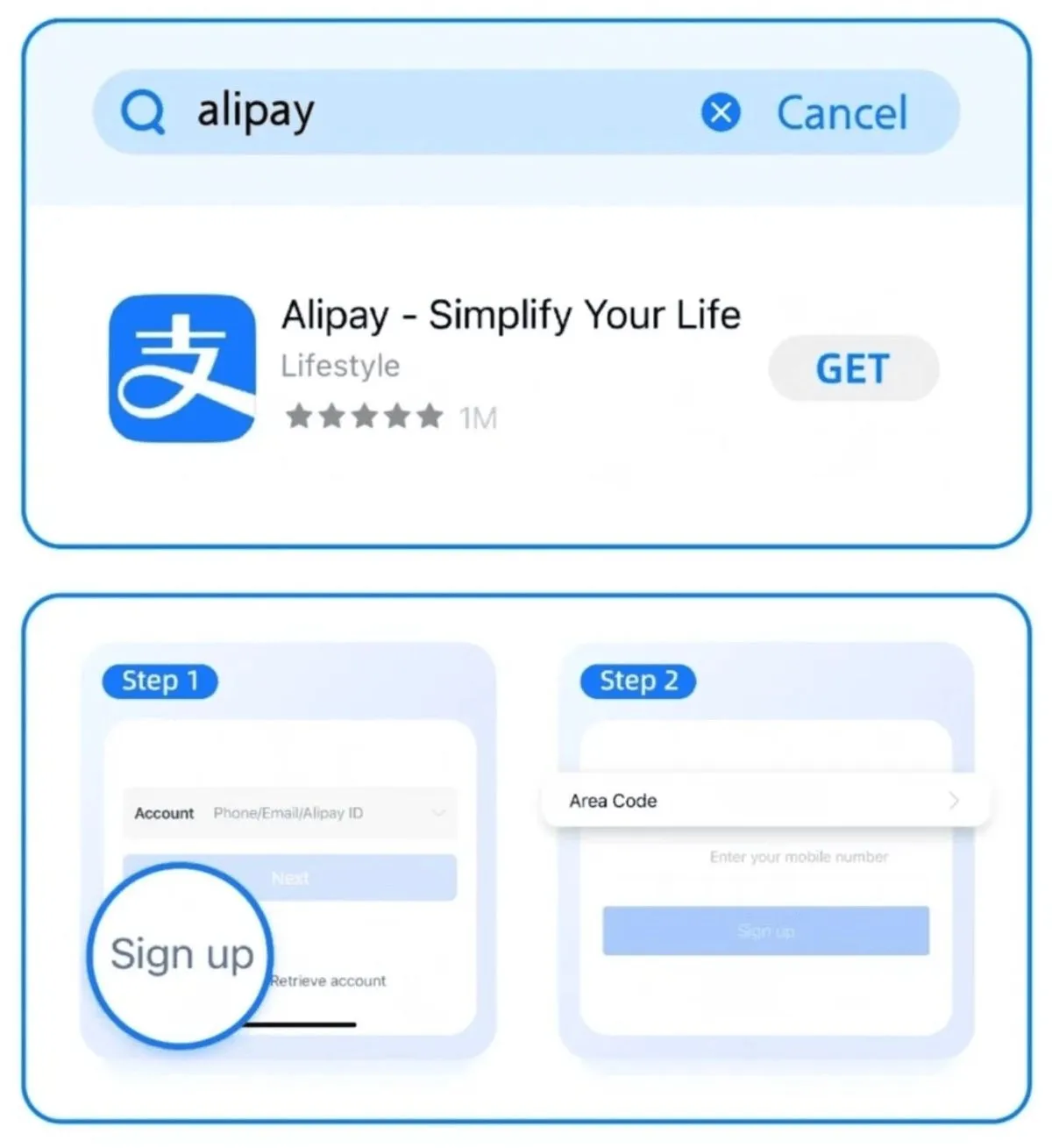
- ▸ Search "Alipay" in App Store or Google Play Store
- ▸ Look for the official app by Ant Group (blue icon, 1B+ downloads)
- ▸ Tap Download and install — takes about 1 minute
💡 Pro Tip: Many copycat apps exist. The real Alipay has over 1 billion downloads and the developer is Ant Group.
Sign Up with Your Phone Number
No Chinese number needed — any country's phone number works.
- ▸ Open the app, tap "Sign Up" on the welcome screen
- ▸ Enter your international phone number
- ▸ Verify via SMS code (arrives within 30 seconds)
- ▸ Create a 6-digit payment password — memorize this!
💡 Pro Tip: Your phone number becomes your permanent login. Use a number you will keep — not a travel SIM that expires.
Add Your International Bank Card
Visa, Mastercard, JCB, Amex, Discover, Diners Club — all supported.
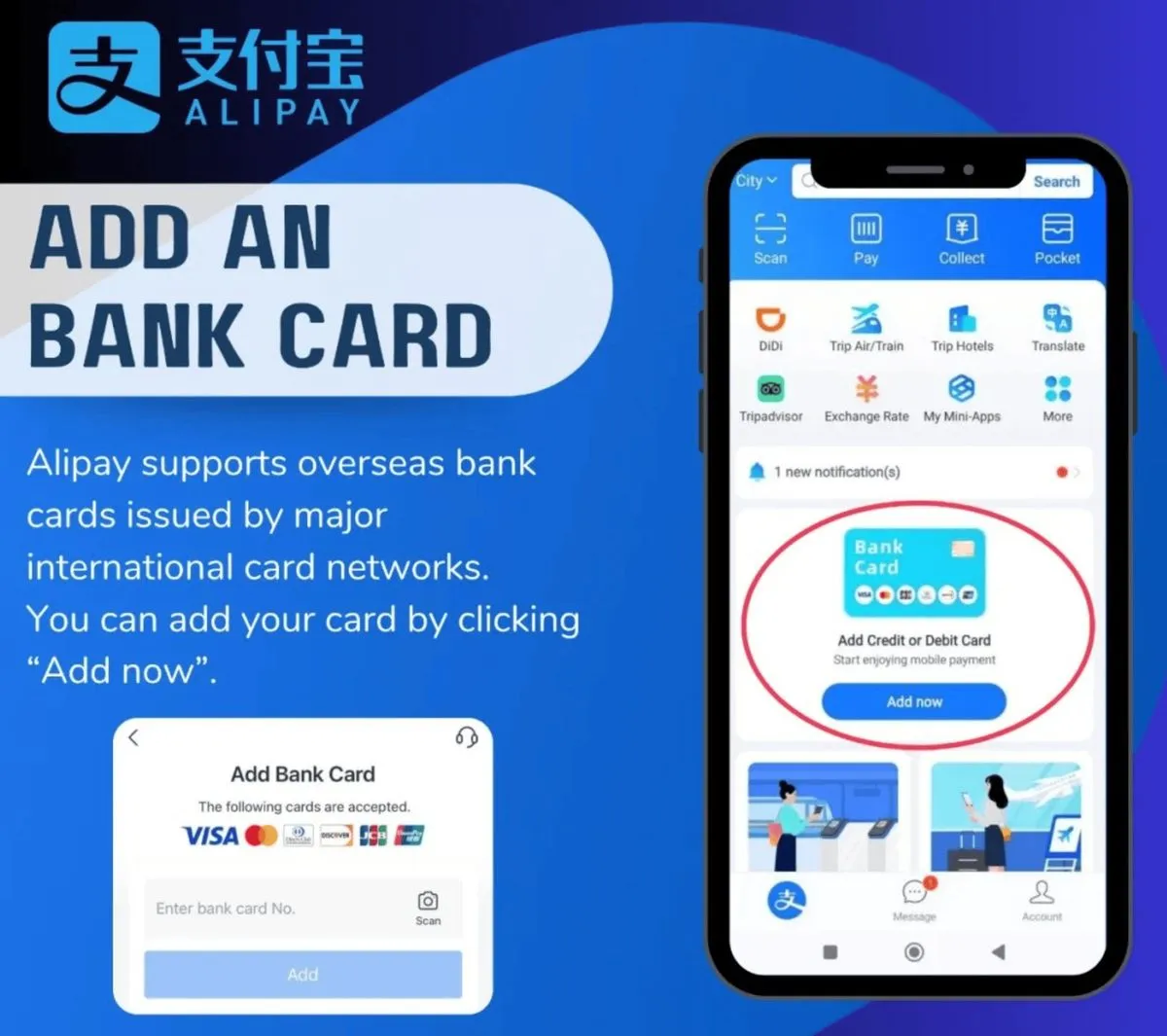
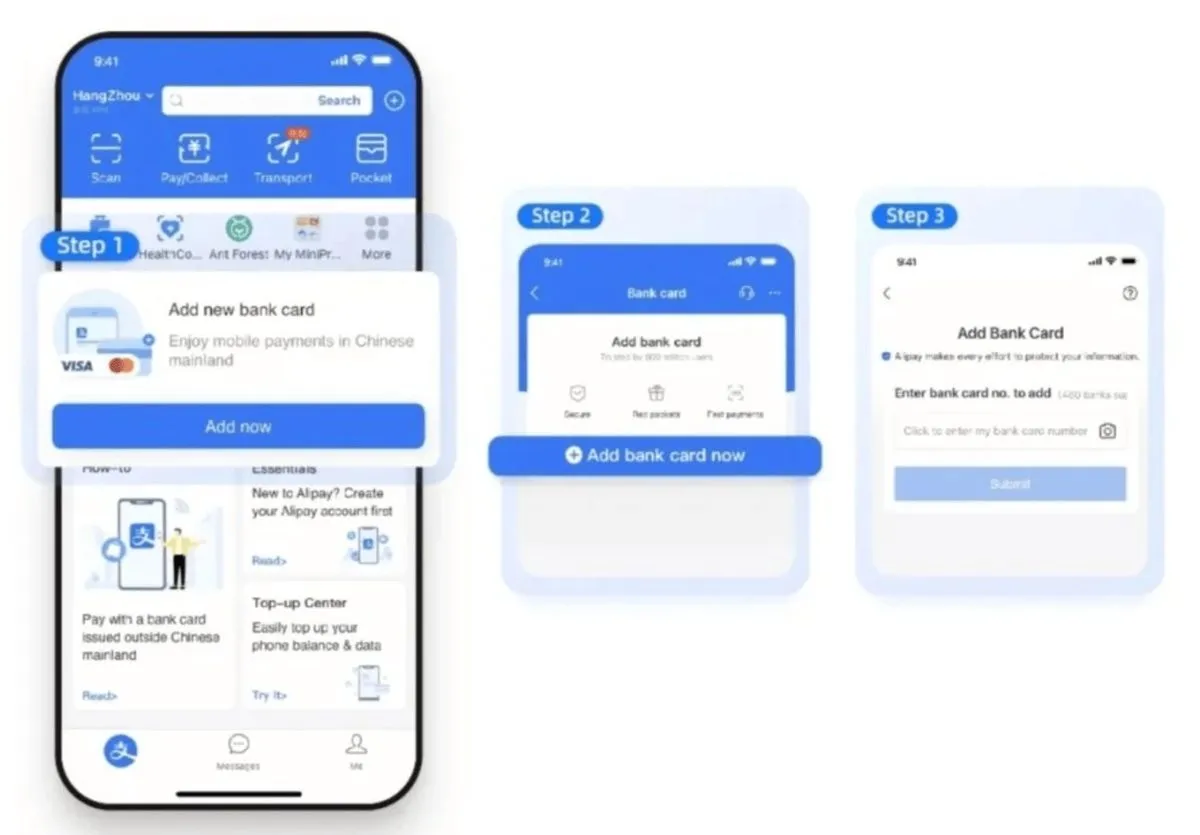
- ▸ On the home screen, tap "Add Now" (or go to Me → Bank Cards → + icon)
- ▸ Select your card type (Visa / Mastercard / JCB / etc.)
- ▸ Enter your card number, expiry date, and CVV
- ▸ Confirm your billing address — match your bank records exactly
- ▸ Complete 3D Secure verification if prompted by your bank
💡 Pro Tip: 💳 Supported: Visa, Mastercard, JCB, Amex, Discover, Diners Club. Debit cards work too. If one card fails, try another — some banks block China transactions by default. If you don't see "Add Bank Card" on the home screen, go to Me → Bank Cards → tap the + icon.
Verify Your Identity with Passport
REQUIRED by Chinese law. Some users report payments won't work without this step.
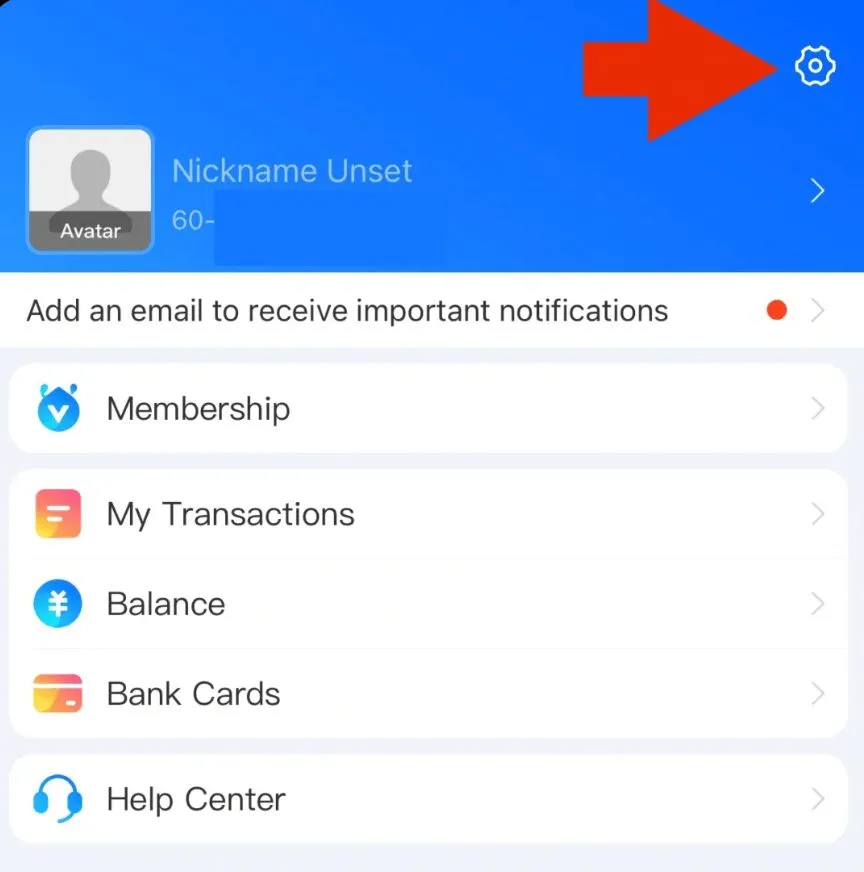
- ▸ Go to "Me" tab → tap the ⚙️ Settings icon (top right)
- ▸ Select "Account and Security" → "Identity Information"
- ▸ Choose your country/region, fill in your passport details or scan your passport to auto-fill
- ▸ Upload a clear photo of your passport information page
- ▸ Complete facial recognition — the app matches your selfie to your passport photo
💡 Pro Tip: ⚠️ CRITICAL: Without identity verification, you may NOT be able to pay! Complete this before your trip. Good lighting is essential for the selfie — remove glasses, face a window. After verification, you should see "Verified" with your name on the confirmation screen.
Payment Method 1: Scan Merchant's QR Code
The most common payment method in China — scan and pay.
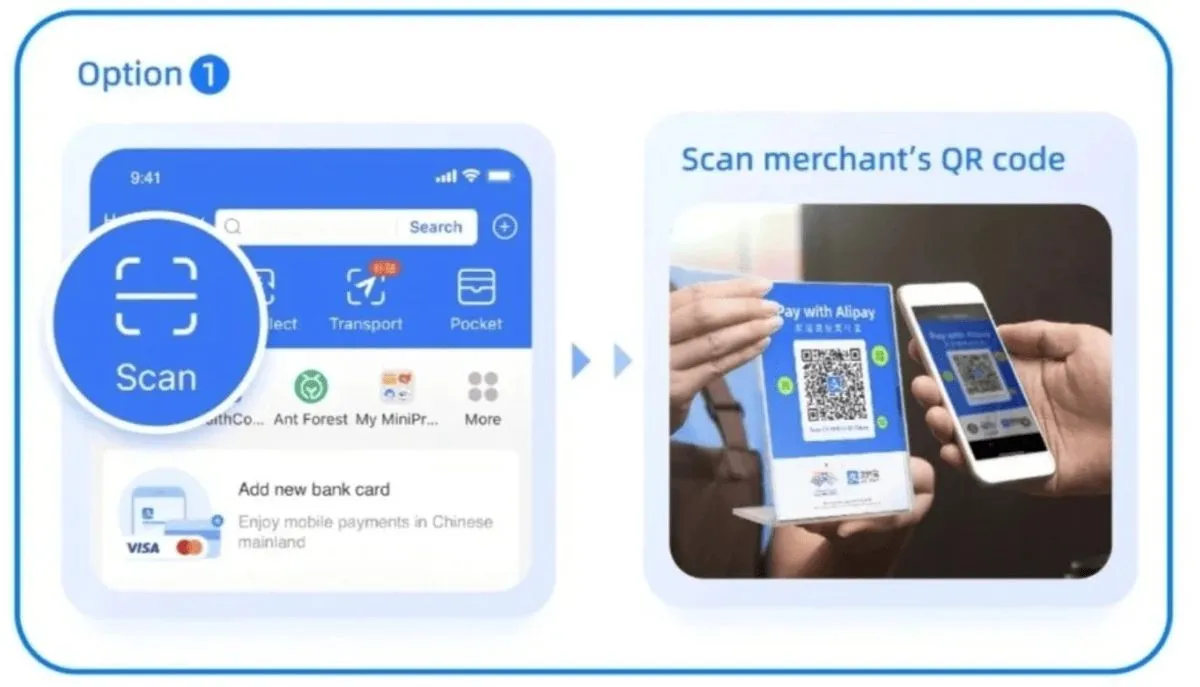
- ▸ Open Alipay and tap "Scan" on the home screen
- ▸ Point your camera at the merchant's blue QR code
- ▸ Enter the payment amount shown on the register
- ▸ Confirm and enter your 6-digit payment password
💡 Pro Tip: Always confirm the amount before paying. Some merchants will tell you the amount verbally — double-check it matches what's on screen.
Payment Method 2: Show Your Payment Code
Let the merchant scan you — works even with weak internet.
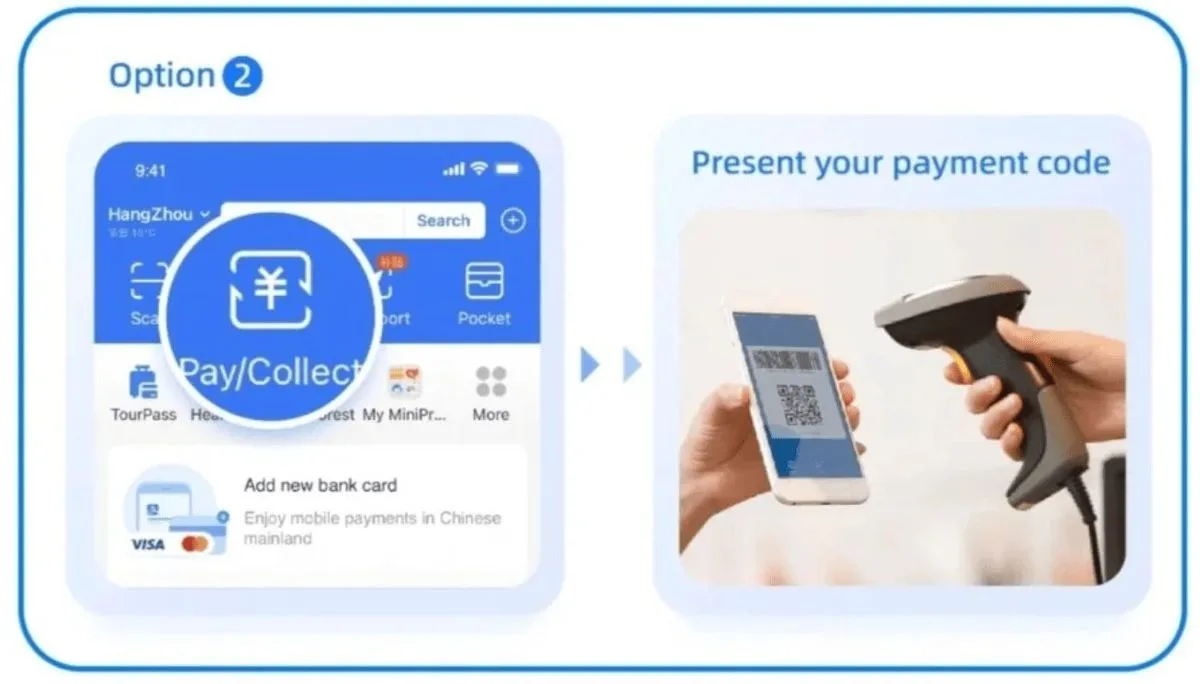
- ▸ Open Alipay and tap "Pay" to generate your payment QR code
- ▸ Show the code to the cashier — they will scan it
- ▸ The payment completes instantly — no need to enter amount
- ▸ If your internet is slow, the notification arrives when you reconnect
💡 Pro Tip: This method is great when your network is slow or when the shop doesn't support scan-to-pay. The code refreshes every minute for security.
Payment Method 3: NFC Tap-to-Pay (New)
Just tap your phone on the merchant's terminal — if both support NFC.
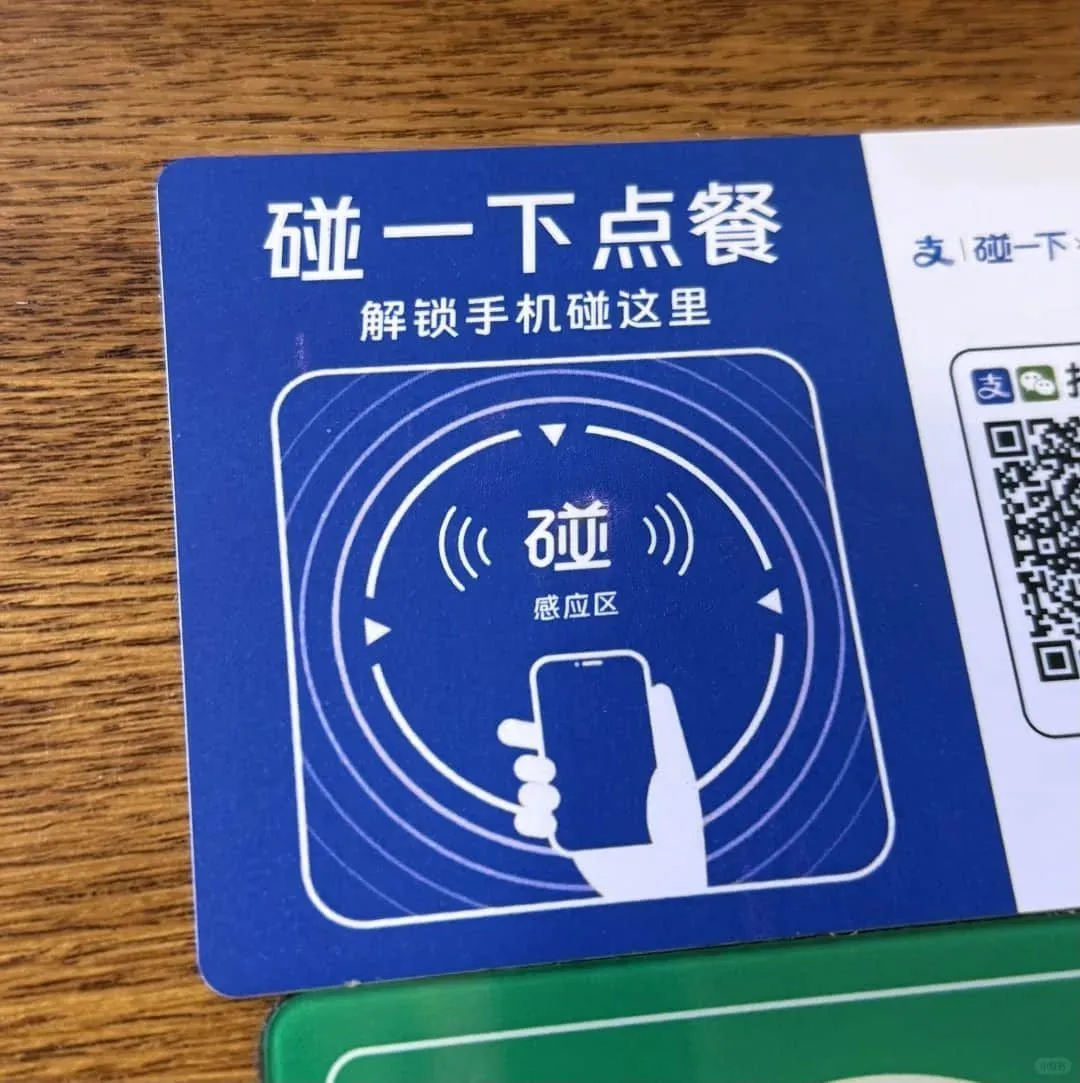
- ▸ Unlock your phone — no need to open any app
- ▸ Tap the NFC area of your phone against the merchant's terminal
- ▸ iPhone: NFC area is near the rear camera
- ▸ Android: NFC area varies by brand, usually upper-center of the phone
💡 Pro Tip: Only works if both your phone AND the merchant's terminal support NFC. Some terminals look like blue cards, others are dedicated payment devices.
🎉
🎉 You're All Set!
✨ Always keep your phone charged — a dead phone = no payment in cashless China.
✨ Set a strong payment password. Never share it with anyone.
✨ If a payment fails, try WeChat Pay as backup — hence set up both.
✨ For large purchases, split into sub-200 RMB payments to avoid the 3% international card fee.
✨ The app works offline for payments once set up — great for subways and rural areas.
✨ Some vendors only accept WeChat Pay, some only Alipay — having both is essential.